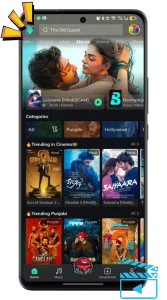

MovieBox
Is Movie Box Safe? Before installing any third-party streaming app, users should understand the possible security and privacy concerns. Entertainment applications can offer convenient access to movies and shows, but software obtained outside official app stores may carry additional risks. These risks can include modified installation files, intrusive advertising, excessive permissions, and unclear data practices. Therefore, checking an app carefully before installation can help protect your device and personal information.
What Is MovieBox and How Does It Work?
MovieBox APP is commonly described as a third-party streaming application that provides access to movies, TV shows, and other video content. Depending on the version, users may receive content through external streaming sources rather than through the licensed distribution systems used by major platforms. Unlike applications available through established app stores, some MovieBox APK versions are distributed through independent websites. Users may need to download an APK or another installation package manually. This process is known as sideloading.
Because different websites can distribute modified versions of the same application, the security of one MovieBox Download file may differ from another. As a result, users should avoid assuming that every version has identical features, permissions, or security characteristics.
Why Is MovieBox Not Always Available on Official App Stores?
Official app stores apply specific requirements to applications before allowing public distribution. These requirements can cover security, privacy, content policies, developer verification, and intellectual-property compliance. Third-party streaming applications may not satisfy these requirements or may distribute content through sources that do not meet marketplace policies. Consequently, users may find certain MovieBox Latest versions on external websites rather than directly through Google Play or the Apple App Store. This difference is important because official marketplaces provide an additional layer of automated review and security checking.
Major Security and Privacy Concerns
Before asking Is MovieBox Pro Safe, it is useful to examine the main areas that can affect device security.
| Security Area | Possible Concern |
| Malware | Modified files may contain unwanted software |
| Privacy | Data collection practices may not be clearly explained |
| Permissions | Some versions may request unnecessary access |
| Advertising | Aggressive advertisements may lead to unsafe websites |
| Updates | External versions may lack reliable security updates |
| Data Protection | Security practices can vary between different versions |
These risks do not mean that every MovieBox PC installation is automatically malicious. Instead, they highlight why users should carefully check the exact file and source they intend to install.
Malware and Adware Risks
One of the biggest concerns with sideloaded applications is the possibility of downloading a modified installation package. An unofficial APK can potentially be altered before distribution. Someone could add advertising software, tracking components, or other unwanted code without the original user’s knowledge.
Common warning signs include:
- Unexpected pop-ups appearing outside the application.
- Browser pages opening without permission.
- Battery usage suddenly increasing.
- Unknown applications appearing after installation.
- Excessive advertisements appearing across the device.
- Unusual mobile-data consumption.
- Security warnings from the operating system.
These signs do not automatically prove that MovieBox IOS itself is responsible. However, they should encourage users to investigate the installed file and remove suspicious software.
Check App Permissions Carefully
Permissions determine what an application can access on a device. Therefore, users should review every permission request before granting access. For example, a streaming application generally needs access related to network connectivity and media playback. Requests involving contacts, SMS messages, microphones, or precise location should receive additional scrutiny if they are not necessary for the app’s stated function.
Important Permissions to Review
Storage Access:
Storage permissions can allow an application to read or modify certain files. Users should check whether this access is genuinely required.
Location Access:
A streaming application may not need precise location information for basic video playback. If location access is requested, review why it is needed.
Microphone Access:
Streaming applications generally have limited reasons to require microphone access. Users should carefully examine this permission before approving it.
Contacts Access:
Access to contacts can expose information about people saved on the device. Avoid granting this permission unless there is a clear reason.
Privacy and Personal Data
Privacy is another important part of the question Is MovieBox Pro Mod Safe. Before installing third-party software, users should look for a clear privacy policy explaining what information is collected, why it is collected, where it is stored, and whether it is shared with other companies.
Potentially sensitive information can include:
- IP addresses
- Device information
- Usage statistics
- Advertising identifiers
- Search or viewing activity
- Crash reports
- Network information
The exact information collected depends on the particular version, developer, and distribution source. Therefore, users should review the privacy documentation associated with the specific application they plan to install.
Official Streaming Apps vs Third-Party Applications
There are several structural differences between established streaming services and third-party applications.
| Feature | Established Streaming Services | Third-Party MovieBox Versions |
| Distribution | Official app stores | May use external websites |
| Developer Verification | Usually available | Can be difficult to verify |
| Privacy Information | Usually documented | May vary significantly |
| Security Updates | Regularly managed | Depends on the distributor |
| Content Licensing | Generally documented | May vary by source |
| Customer Support | Official support channels | Often limited or unofficial |
These differences do not establish that one particular application is unsafe. Instead, they show why users should perform additional checks when installing software outside established marketplaces.
How to Use Third-Party Apps More Safely
If you decide to install software from an external source, several precautions can reduce unnecessary exposure.
Scan the Installation File
Before opening an APK, scan it with a reputable security service. Multi-engine scanners can compare the file against multiple malware databases. However, a clean scan does not guarantee that a file is completely safe. New or heavily modified threats may not yet appear in security databases.
Download From a Trusted Source
Avoid random download pages, shortened links, suspicious advertisements, and unknown file-sharing websites. Check the publisher information and compare the file details with information from reliable sources. Be especially careful with websites offering several different “premium” or “mod” versions.
Review Permissions
After installation, open your device’s application settings and review all granted permissions. Remove permissions that the application does not reasonably need. Modern Android versions also allow users to change many permissions after installation.
Keep Your Device Updated
Install operating-system and security updates regularly. Updated devices receive important patches that can address known vulnerabilities. Also keep your browser and security software current.
Use Mobile Security Software
A reputable mobile security application can provide an additional layer of protection. Security tools may identify suspicious applications, unsafe files, and potentially harmful websites. Still, no security product can detect every possible threat, so careful downloading remains important.
What Should You Do If You Notice Suspicious Activity?
If your device begins behaving unusually after installing a third-party application, investigate immediately. Start by uninstalling the suspicious application. Then review recently installed apps and check your device permissions. You should also run a security scan and update your operating system. If you entered sensitive information into a suspicious website, consider changing the affected passwords from a trusted device. For serious security concerns, professional technical support may be appropriate.
Is MovieBox Safe?
Is MovieBoxAndriod Safe? There is no single answer that applies to every version or installation source. Third-party APKs can present additional security and privacy concerns because their origin, modifications, permissions, and data practices may vary. The safest approach is to verify the source, scan installation files, review permissions, avoid suspicious downloads, and keep your device updated. Users should also understand that security checks cannot guarantee complete protection. Ultimately, treating unknown streaming applications cautiously can reduce the chance of malware infections, unwanted tracking, and unnecessary exposure of personal information.
1 thought on “Is MovieBox Safe? Important Security Facts to Know”